Why Your Website Needs SSL in 2026 (And What Happens If It Doesn't)
If you've ever clicked a link and seen "Not Secure" next to the address bar, you already know how this feels from the visitor's side — a little uneasy, maybe enough to make you close the tab. That warning shows up when a site doesn't have an SSL certificate, and in 2026 it's one of the fastest ways to lose a visitor before they've even read a word of your content.
SSL used to be optional, something mostly banks and online stores bothered with. That's not true anymore. The vast majority of websites on the internet now run on HTTPS, which means the ones that don't stand out for the wrong reason.
What SSL Actually Does
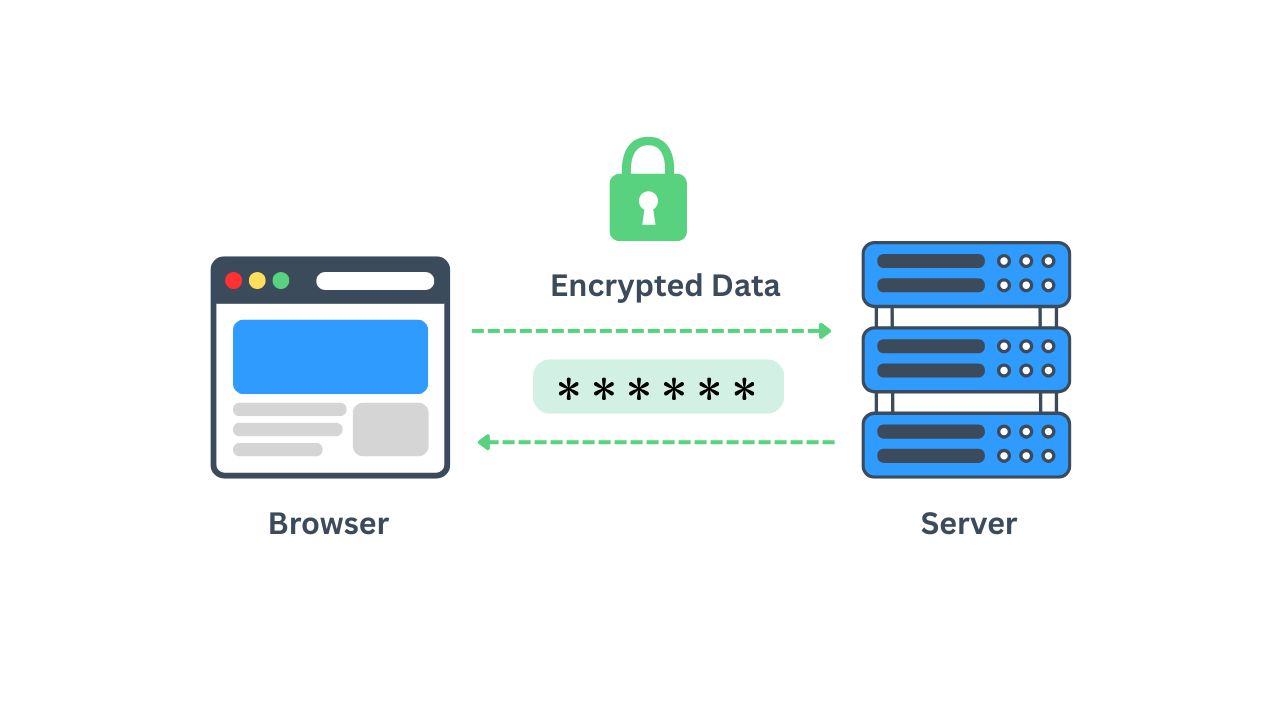
SSL (Secure Sockets Layer, though what's actually used today is its successor, TLS) encrypts the connection between your visitor's browser and your server. Without it, any data passing between the two — passwords, form submissions, payment details — travels in plain text. With it, that data is scrambled so it's useless to anyone intercepting it.
This matters even if your site doesn't handle payments. A contact form, a login page, even just someone browsing your blog — all of it goes through that same connection. Once you have SSL installed, your site's address switches from http:// to https://, and browsers show the padlock instead of a warning.
Why Google Cares About This Too
SSL isn't just a trust signal for visitors, it's also a ranking factor. Google has treated HTTPS as a signal in search rankings for years, and that hasn't softened. Between a secure site and an insecure one covering the same topic, the secure one has an edge before either page is even opened. If you're writing content to bring in new traffic, running that content on an unencrypted site is working against yourself.
What Not Having SSL Costs You
The damage isn't hypothetical. A few things happen when a site runs without SSL:
Browsers actively warn visitors before they can even load the page. Any form on the site — contact, checkout, login — gets flagged as insecure, which kills conversions fast. Search engines rank the page lower relative to secure competitors. And if you ever do collect payment or personal information, you're exposing both your visitors and yourself to real liability.
None of this is a slow leak. It's often the reason a visitor bounces in the first two seconds.
How to Check If Your Site Has It
This part takes ten seconds. Open your site in a browser and look at the address bar. If you see a padlock, you're set. If you want to check from the command line instead, this shows you the certificate details directly:
openssl s_client -connect yourwebsite.com:443 -servername yourwebsite.com /dev/null | openssl x509 -noout -dates
That returns the certificate's validity dates. If it's expired or missing, that's your answer.
Getting SSL Set Up Without the Headache
The old way of doing this involved generating a certificate signing request, buying a certificate separately, and manually installing it on the server — a process that used to scare off a lot of beginners. That's mostly gone now. Most hosting providers, including us, issue and install a free SSL certificate automatically the moment you set up hosting, with no separate purchase and no manual configuration.
If you're moving a site from another host and it's currently unencrypted, that's usually the moment to fix it. Free migration services (which we also offer) mean you don't have to choose between switching hosts and keeping your SSL setup intact — both happen at once.
A Quick Gut Check
If your site collects any information at all — even just a name and email on a contact form — SSL isn't a nice-to-have. If your site doesn't have it yet, this is one of the highest-impact, lowest-effort fixes available: it takes minutes to add, costs nothing extra with the right host, and immediately removes a barrier between your content and the people trying to read it.
The Bottom Line
SSL stopped being a premium feature a while ago. It's baseline infrastructure now, the same way having a working phone number or a real address is baseline for a legitimate business. Whether you're launching a new site or auditing one you've had for years, checking for that padlock is one of the first things worth doing — before you spend another dollar on ads or content trying to bring people to a page that quietly turns them away at the door.