Nameservers Setup
Domain Nameservers Configuration
If You Registered Domain with Lvato
Your domain should work automatically within 24 hours. No additional setup required!
If You Have External Domain
Update your domain's nameservers to:
- ns1.stackdns.com
- ns2.stackdns.com
- ns3.stackdns.com
- ns4.stackdns.com
These nameservers are valid for normal web hosting only.
How to Change Nameservers:
- Log into your registrar - Where you bought the domain
- Find Domain Manage - See the Menu or Sidebar or Section of Domains and open the domains page.
- Click the Manage Button and find the DNS/Nameserver settings in domain management page.
- Update nameservers - Enter Lvato's nameservers
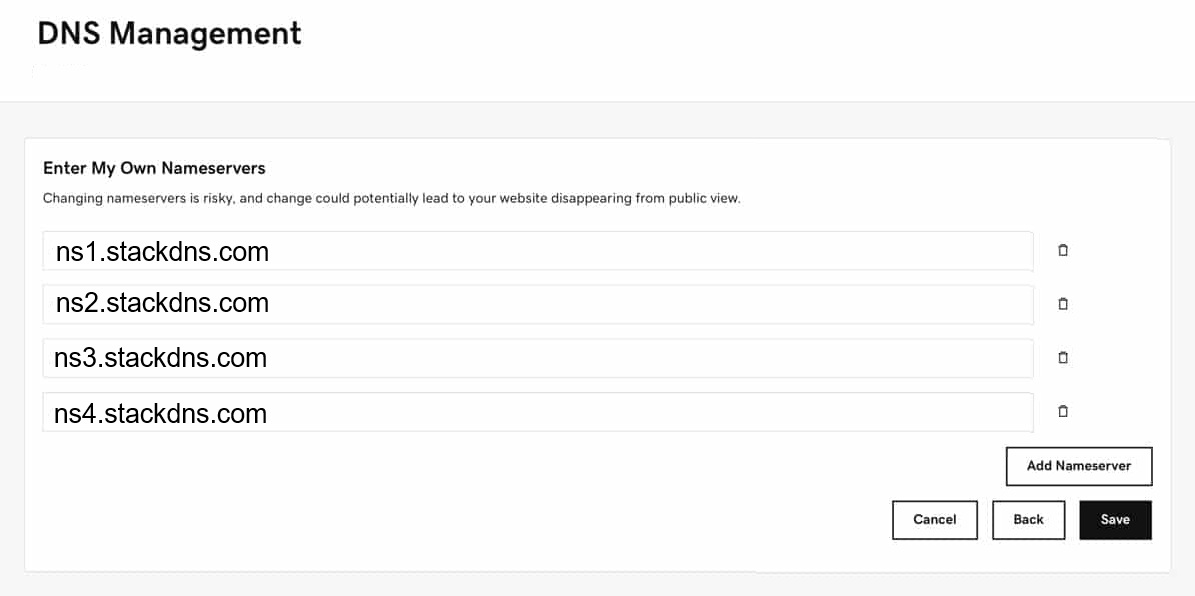
- Save changes - Wait 24-48 hours for propagation