Upgrade Hosting Plan
Upgrade Hosting Plan
To Upgrade the web hosting services on Lvato.com, please follow the steps below:
-
Log in to your Lvato Dashboard.
-
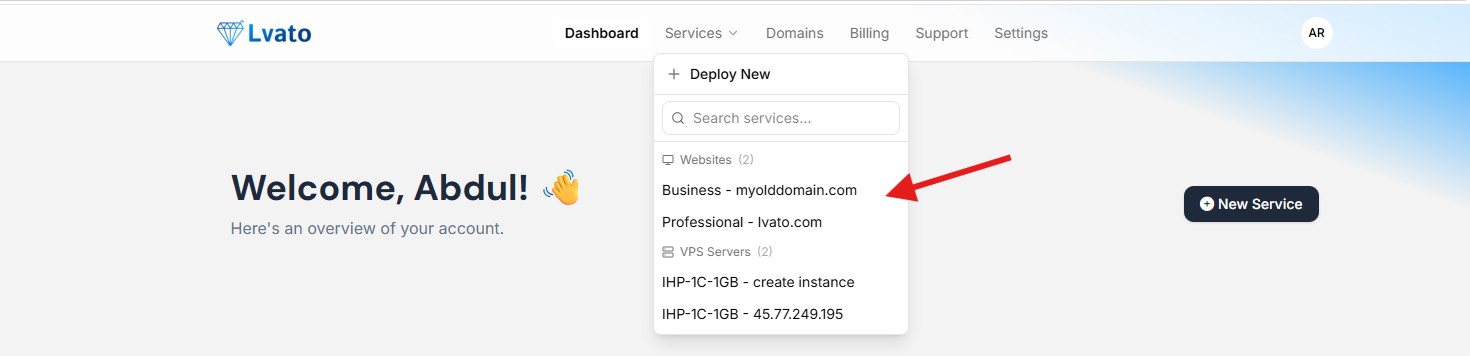
Navigate to the Dashboard where all your active services are listed.
-
Locate the service you wish to cancel and click the "Manage" button next to it.
-
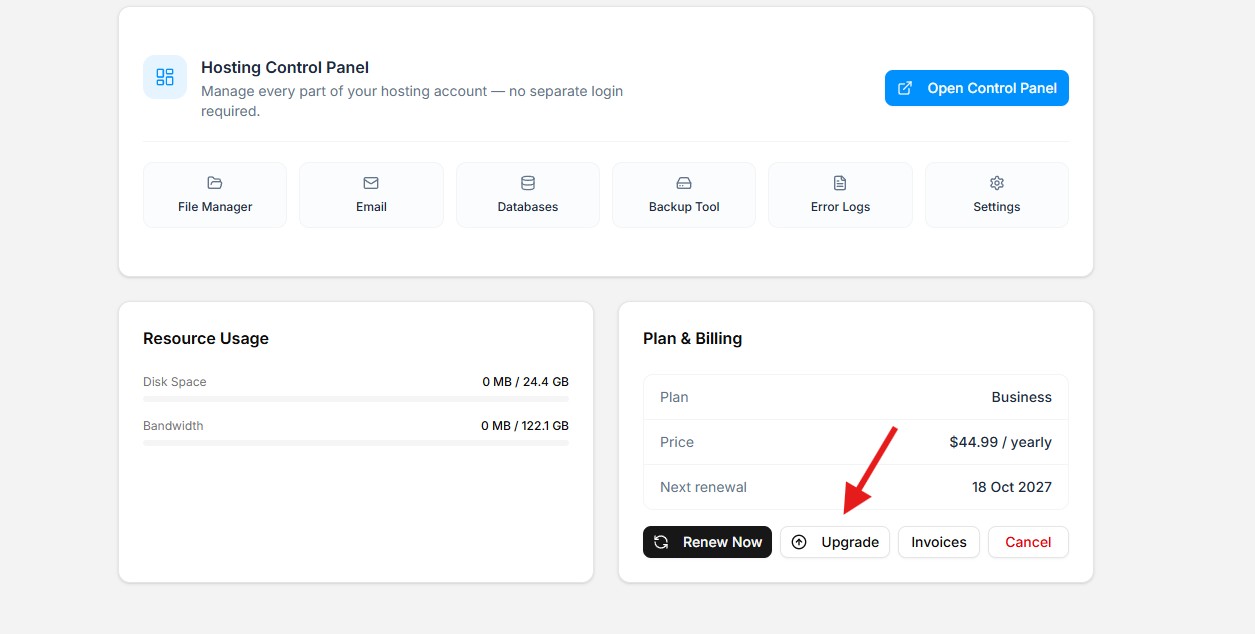
On the service management page, you will see the following options:
- Upgrade
- Renew
- Cancel
-
Click the "Upgrade" button.
-
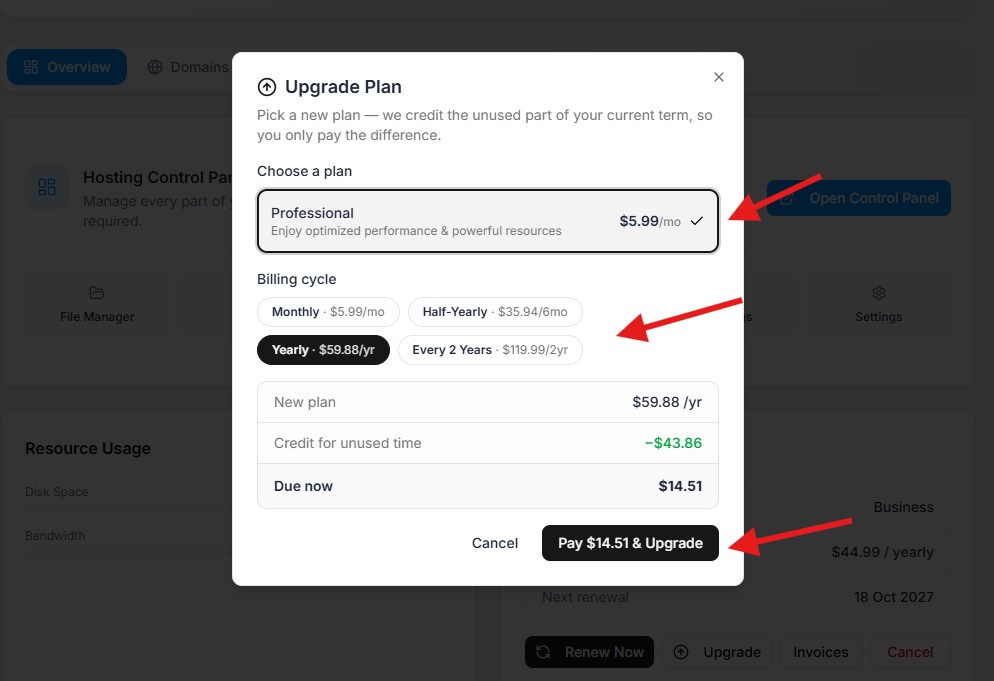
Follow the on-screen instructions and choose from the availiable upgrade options.
-
Choose the billing cycle and continue ot payment.
Note: It will only charge till your next renewal date not for actucal billing cycle. -
Once completed the payment, plan will be upgraded automatically.
You need to clear any pending invoices for the plan before upgrading.